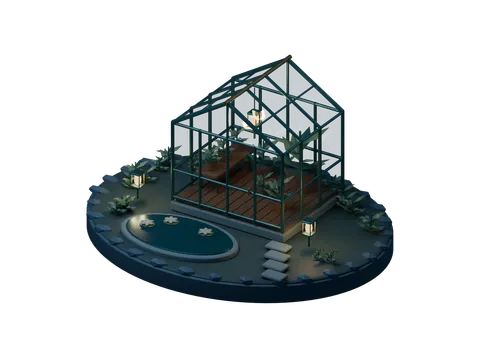
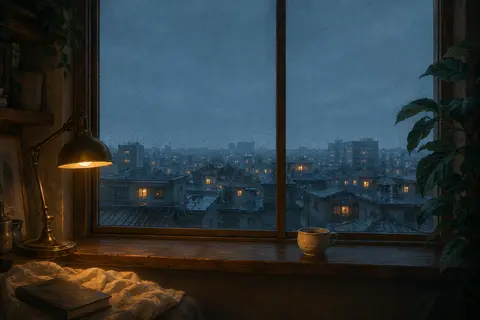

Three different kinds of artwork
Lantern Isle, Aquarium, and Chrono Garden use canvas drawing. Moonlit Conservatory blends day and night renders of a Blender scene containing the greenhouse, plants, pond, and lamps.
Rainlight's background was generated with an image tool. Quiet Study was edited from a supplied reference with an image tool, leaving a blank desk-clock face for live digits. Calling every scene entirely hand-drawn would misrepresent that process.
Which parts actually tell the time
On Lantern Isle, the sky follows the day, sixty lanterns represent minutes, and the boat follows the seconds. Chrono Garden uses 24 hour sectors, flower opening for minutes, and an orbit for seconds.
Rain and fireflies in some other scenes are decorative. Read the common numeric clock and each scene's legend. These effects do not report real rainfall, astronomical sunrise, or your location.
Explore a day without changing your device
The day preview sends one chosen time to the scene and the numeric display together. Presets choose the hour with randomized minutes and seconds; the preview returns to current time after 20 seconds.
You can return immediately using the current-time control. This is a visual preview only and does not change operating system time or schedule an alarm.
How the scenes stay manageable
Scenes load when selected. The shared renderer pauses when hidden or outside the viewport and limits its frame rate and canvas resolution. Reduced-motion preferences stop decorative movement while the time still updates.
Image scenes can need a network connection when first opened. If loading fails, retry or choose another scene. Performance still depends on the device; the project does not promise zero CPU use or a measured battery saving.